
Perks at Work
Next Jump Inc.Shopping
4.8800.00 Reviews
- Version
- 2.4.69
- Installs
- 100.00K
- Age Rating
- Everyone
Screenshots
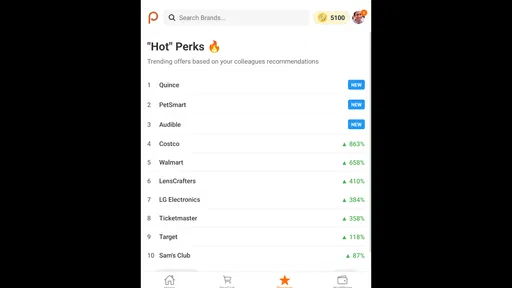
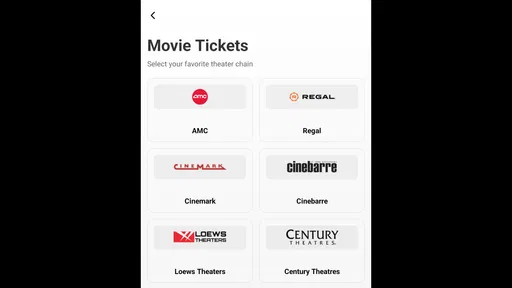
Our Review of Perks at Work
 Analysis by Appyee
Finding employee discounts is easy; remembering where they are, whether they still apply, and how to use them at the right moment is much harder. Perks at Work is built around that everyday problem. Developed by Next Jump Inc., this free shopping app brings employee benefits and discounts into one place, with access depending on the workplace or employee program connected to your account. I see it as a practical companion for people who already have access through work, rather than a general shopping app that everyone can use immediately.
After spending time with it, my impression is positive but specific: the app is most useful when I treat it as a preparation tool before buying, not as a replacement for every retailer’s own app. It can help me check available offers, compare the benefit with the normal purchase route, and decide whether a discount is worth using. The best results come from building it into my shopping routine instead of opening it only when I am already standing at a checkout.
How Perks at Work feels in its current form
The app sits in the shopping and employee-benefits space, which gives it a different purpose from a normal marketplace. I am not opening it primarily to browse an enormous catalog or discover independent sellers. I am opening it to see whether my employee access can reduce the cost or add value to a purchase I was already considering.
That distinction matters. A conventional retailer app usually knows what I want to buy from that retailer and is designed to move me quickly toward payment. Perks at Work is more useful earlier in the decision. It encourages me to ask, “Is there an employee offer I should check before I place this order?” In that role, it can sit alongside retailer apps, coupon tools, and loyalty programs rather than replacing them.
The interface is easier to understand when I approach it with a specific goal. For example, if I am planning a larger purchase, arranging a trip, looking for a gift, or checking whether a familiar brand has an employee benefit, I can use the app as a starting point. Browsing without a purpose can feel less rewarding because the value depends on what is available to my account and whether the offer fits a real need.
That account-based nature is the first practical point a new user should understand. The app is not simply a public coupon wall. Its usefulness depends on eligibility and access through an employer-related program. Someone who expects unrestricted shopping deals may be disappointed, while an employee whose organization participates can find the concept much more relevant.
What the latest version tells me about its direction
The current version is 2.4.69, and the app was released on March 31, 2025. Those details suggest a product that is still being actively shaped rather than a finished, static directory. I would not interpret a version number alone as proof that every part of the experience has changed, but it does make the app feel like something worth keeping updated if I rely on it for regular purchases.
For existing users, the sensible approach is to update before an important shopping trip and then review the way offers are presented instead of assuming that an old habit still works perfectly. Employee-benefit platforms can change their organization, redemption flow, or account behavior over time. Even when the core idea remains familiar, a small change in how an offer is opened or activated can affect whether the saving is actually applied.
I also like that the app is available for devices running Android 7.0 or later. That gives it a broad compatibility range for people who keep an older phone, although compatibility is not the same as identical performance on every device. On an older handset, I would be more careful before relying on the app at a time-sensitive checkout. A slower launch or a difficult sign-in can turn a useful discount into a frustrating last-minute search.
The public response is encouraging: Perks at Work holds a 4.8 average from around 2.6 thousand ratings, with roughly 800 written reviews and over 100 thousand installs. I read those figures as evidence that the app has found a real audience, not as a guarantee that every employee will have the same experience. Access, employer setup, phone performance, and the type of purchase all influence how valuable it feels.
A realistic way I would use it during the week
Imagine that I need to buy a birthday present and I already have a shortlist of retailers. Instead of opening the first retailer app and paying immediately, I would open Perks at Work first, sign in, and search or browse for a relevant employee offer. I would then read the conditions carefully, note whether the benefit requires a code, a special route, or another activation step, and compare the final value with the retailer’s own promotion.
The important part is not merely finding a percentage or a headline saving. I would check the complete purchase path. Does the offer apply to the item I want? Does it work online, in person, or through a particular redemption method? Does it combine with the retailer’s current sale? If I cannot answer those questions quickly, I would avoid assuming the discount will work and keep the normal retailer route available.
Once I have confirmed the route, I would complete the purchase outside or alongside the benefits experience as required. Afterward, I would keep any confirmation or code until the order is finalized. This habit is especially useful for a benefit that redirects me to another service, because the employee offer may be the starting point rather than the entire transaction.
That workflow reveals one of the app’s less obvious strengths: it can prevent me from paying before I remember to check my benefits. The saving does not come from endless browsing. It comes from inserting one deliberate checkpoint into a purchase I was already going to make.
Where it is stronger than ordinary coupon hunting
Generic coupon searches often produce a noisy mix of expired codes, broad promotions, and offers that are difficult to verify. Perks at Work has a clearer reason for showing me a benefit: it is connected to an employee-access context. That can make the search feel more relevant than starting with a random web result.
It also changes the way I think about smaller purchases. A single offer may not justify much effort, but a repeated routine can make the app more useful. Before buying something for a household, planning a larger seasonal purchase, or arranging a service I use regularly, I can check the app first. The trade-off is that I need to remember this step. If I only use it after I have already chosen a checkout path, the benefit may be harder to apply.
Compared with a retailer loyalty app, Perks at Work is broader in purpose but less direct. The retailer app usually gives me product details, order tracking, customer support, and loyalty history in one place. Perks at Work may help me discover an employee benefit before I shop, but I should still expect the retailer’s own tools to be better for managing the order itself.
Compared with a cashback service, the value is also different. Cashback tools usually focus on earning money after a qualifying transaction, while an employee discount may reduce the purchase price earlier or provide another benefit. I would not assume one automatically beats the other. When both routes are available, I would compare the actual final cost, redemption effort, and restrictions rather than choosing based on the headline offer.
The small habits that make the app more worthwhile
My first tip is to use it before a purchase has become urgent. Checking during planning gives me time to understand the conditions and switch retailers if the employee route is better. Opening it while a cashier or checkout timer is waiting is the least comfortable way to use a benefits platform.
My second tip is to save the app for purchases where the difference matters. I would not spend several minutes investigating a minor item if the offer is uncertain or requires a complicated process. For a larger order, a gift, travel-related spending, or a repeated household expense, the same effort is easier to justify.
My third tip is to separate discovery from redemption. I can use the app to identify the relevant benefit, then move carefully through the required shopping route. This prevents a common mistake: finding an offer, opening a retailer independently in another tab or app, and then wondering why the saving did not appear.
A fourth useful habit is to keep a personal note of the benefits I actually use. I would record the retailer or service, the general type of offer, and any important activation step without assuming that the detail will remain unchanged forever. This is not a feature I am claiming the app provides; it is my workaround for reducing repeated searching and remembering which offers were genuinely convenient.
Who will get the most from it
Perks at Work is a strong fit for employees who already receive access through their workplace and who make planned purchases. It is particularly suitable for people who dislike searching several unrelated coupon sites, want a single place to begin checking benefits, or regularly buy for a household and can turn occasional savings into a repeat habit.
It can also suit someone who is organized about shopping. If I compare the employee route with the normal retailer route, read the conditions, and keep track of the required redemption step, I am more likely to receive the intended value. The app rewards a little preparation.
I would be more cautious recommending it to someone who wants instant, universal discounts without signing in or confirming eligibility. It is also not the best primary tool for a person whose main need is product discovery, detailed reviews, delivery tracking, or post-purchase support. Those jobs belong more naturally to retailer apps and established shopping platforms.
Someone who rarely shops online or never plans purchases may find the app easy to forget. In that case, the problem is not necessarily that the idea is poor; it is that the benefit requires an extra step before checkout. If that step does not fit the person’s habits, a simple loyalty card or automatic store promotion may be more convenient.
Where the experience still has friction
The biggest limitation is the gap between discovering a benefit and completing a purchase. An offer can look attractive at first glance, but its real usefulness depends on eligibility, terms, timing, and redemption. I have to treat each benefit as a route to investigate, not as an automatic reduction in the final price.
That makes clarity especially important. When I am comparing several offers, I want to know quickly what action is required and what kind of purchase qualifies. Any ambiguity creates extra work and increases the chance that I will abandon the employee route. This is where a normal retailer promotion can feel better: the discount may be less special, but the checkout process is often more familiar.
There is also a practical dependence on account access. If I am unable to sign in, if my employment eligibility needs attention, or if I am using a device that struggles with the app, the value becomes inaccessible at exactly the wrong moment. I would therefore keep the app updated and avoid making it my only source of information for an important purchase.
Another trade-off is attention. A benefits app can encourage me to browse offers I did not intend to use, which may lead to unnecessary spending. I get the best value when I begin with a planned purchase and use the app to reduce its cost, not when I browse discounts looking for a reason to buy something.
What existing users should expect from ongoing updates
For people who already use the service, the current release is a reason to stay alert to changes in the day-to-day flow. I would check whether familiar offers still open in the same way, whether the account area behaves as expected, and whether my preferred redemption process remains straightforward. These checks take little time and can prevent confusion later.
I would also judge updates by practical outcomes rather than by the version label. Does it take less effort to find a relevant benefit? Is it clearer what happens after I select an offer? Can I return to the shopping task without losing the information I need? Those are the changes that matter to me as a user, because they affect whether I actually complete a discounted purchase.
The app’s age rating is Everyone, which makes it broadly approachable from a content perspective. That does not remove the need for sensible shopping judgment, especially when purchases involve contracts, travel, subscriptions, or other commitments. The app can help me find a benefit, but I still need to understand the underlying product and its conditions before paying.
As a free app, it is easy to justify trying when I have legitimate employee access. The more important cost is not money but time and attention. If the app helps me avoid overpaying on purchases I already planned, it earns a place on my phone. If it turns every shopping trip into a long search through uncertain offers, the convenience advantage becomes much smaller.
What I would watch before making it part of my routine
I would watch how consistently the app connects an offer with a clear next action. Benefits are most useful when I understand what to do immediately after selecting them. I would also pay attention to how well the experience handles the transition between the benefits platform and the retailer, because that handoff is where many discount journeys become confusing.
I would watch the balance between breadth and relevance as well. More offers are not automatically better if they make it harder to find the one that matches my purchase. For me, useful organization matters more than a crowded catalog. The ideal experience would help me narrow choices quickly without encouraging unnecessary browsing.
I would also keep an eye on reliability for older supported devices. Android 7.0 compatibility is helpful, but users with older hardware may still experience slower loading or less comfortable navigation than people with newer phones. Anyone depending on the app during a time-sensitive purchase should test it in advance rather than discovering that limitation at checkout.
Finally, I would judge future changes by whether they protect trust. A benefits app needs to make the difference between an available offer, an offer requiring activation, and a general promotion easy to understand. When that information is clear, I am willing to do the extra step. When it is vague, I prefer the simpler route even if the potential saving is smaller.
My recommendation after using it
Perks at Work is worth trying if your employer gives you access and you are willing to check benefits before shopping. I like its role as a dedicated checkpoint between deciding what to buy and choosing where to buy it. The app is not magic, and it does not remove the need to read conditions or finish the transaction carefully, but it can make employee discounts easier to remember and more practical to use.
My recommendation is strongest for planned purchases and weakest for rushed checkout situations. Use it before the shopping trip, compare the real route with the retailer’s normal promotion, and keep your expectations grounded. If you want a universal coupon app, a product catalog, or a full order-management tool, another option will probably suit you better.
For eligible employees, though, the free price makes experimentation simple. I would install it, sign in when convenient, explore the benefits relevant to my actual spending, and keep only the workflows that save time as well as money. That is the honest value of this shopping app: not a reason to spend more, but a useful reminder to check whether my workplace benefits can improve a purchase I was already going to make.
Verdict
Strengths of Perks at Work
- Exclusive employee discounts on travel, shopping, dining, and entertainment.
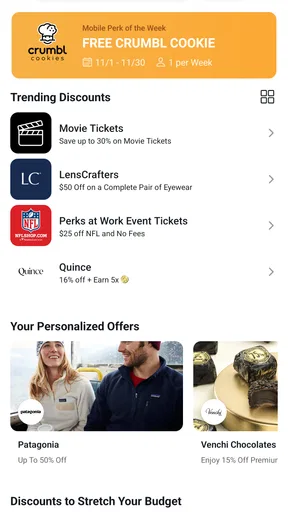
- Offers are organized by category, making deals easy to browse.
- Regularly updated promotions provide fresh savings opportunities.
- Useful workplace perks can help reduce everyday spending.
- Available on mobile for convenient access while shopping or traveling.
Limitations of Perks at Work
- Access generally requires an eligible employer or workplace registration.
- Offer availability and discounts may vary by location and employer.
- Some deals redirect to partner websites or require separate accounts.
- Savings can include restrictions, expiration dates, or limited availability.
- The app may feel less useful if your preferred brands are not included.
Similar Picks in This Category
View All
SHEIN-Shopping Online
Roadget Business PTE. LTD.4.8

Amazon Shopping
Amazon Mobile LLC4.4


Mercado Libre: Compras online
Mercado Libre4.8

Wish: Shop and Save
Wish US Holdings LLC4.7

Alibaba.com - B2B marketplace
Alibaba Mobile4.4
Frequently Asked Questions
What is Perks at Work, and how does it work?
Perks at Work is an employee-benefits platform that gives eligible users access to discounts, special offers, cashback opportunities, travel deals, entertainment savings, and other workplace perks. After registering with a qualifying work email or employer invitation, you can browse available offers by category, open a deal, and follow the instructions to redeem it. The selection may vary depending on your employer, location, and current promotions.
Is Perks at Work free to download and use?
The Perks at Work app is generally free to download and does not usually require a separate membership fee for eligible employees. However, you still pay for the products, services, or subscriptions purchased through individual offers. Some deals may have additional conditions, minimum purchase requirements, delivery charges, or recurring billing, so it is important to read the merchant’s terms before completing a transaction.
Who can use Perks at Work, and how do I verify my eligibility?
Perks at Work is primarily designed for employees whose companies participate in the program. Eligibility is commonly confirmed through a company email address, an employer-provided registration link, or another verification method supported by the platform. If your work email is not accepted, your employer may not participate, your access may need activation, or you may need to contact your company’s benefits administrator for assistance.
What types of discounts and benefits are available in the app?
The app typically includes offers across categories such as shopping, restaurants, travel, hotels, movie tickets, electronics, local activities, and wellness. Some employers may also provide access to company-specific benefits, learning resources, or employee recognition features. Available promotions change regularly, and not every offer is available in every country or to every user, so checking the expiration date and eligibility details is essential.
Are Perks at Work offers safe, and what should I check before redeeming one?
Perks at Work provides a convenient way to discover employee discounts, but each offer may be supplied or fulfilled by a separate merchant. Before redeeming a deal, review the expiration date, exclusions, refund policy, geographic restrictions, delivery terms, and whether the discount applies automatically or requires a code. Also confirm the final price at checkout and use only the official app or website when entering account or payment information.
